

Why Good UI Isn't Enough for a Successful App
A beautiful application can immediately catch someone's attention.
Modern colors.
Clean typography.
Smooth animations.
Beautiful illustrations.
Well-designed screens.
All of these things matter.
But here's the problem:
A beautiful interface doesn't automatically create a successful product.
An app can look incredible and still fail.
Why?
Because users don't download an app simply to admire its design.
They download it to accomplish something.
They want to solve a problem, save time, buy something, communicate, book a service, manage information, or achieve a specific goal.
That's why successful app development requires much more than good UI design.
UI vs UX: What's the Difference?
Before discussing the bigger picture, it's important to understand the difference between UI and UX.
UI — User Interface
UI is largely about how the application looks and feels visually.
It includes things such as:
- Colors
- Typography
- Buttons
- Spacing
- Icons
- Layout
- Components
- Animations
- Visual hierarchy
Good UI makes an application attractive and visually understandable.
UX — User Experience
UX is about how the application works from the user's perspective.
It includes:
- Navigation
- User flows
- Information architecture
- Ease of completing tasks
- Feedback
- Error handling
- Accessibility
- Overall usability
An app can have excellent UI but poor UX.
For example, the login screen might look beautiful, but if users have to go through six unnecessary steps to log in, the experience is still frustrating.
1. The App Must Solve a Real Problem
This is the foundation.
You can spend weeks creating beautiful designs.
But if the application doesn't solve a meaningful problem, design won't save it.
Before development begins, ask:
What problem does this application solve?
Then ask:
Who experiences this problem?
And finally:
Why would they choose this solution?
A successful product starts with a clear reason to exist.
2. Users Need to Understand the App Quickly
When users open an application for the first time, they shouldn't need a tutorial just to understand its basic purpose.
The main action should be obvious.
For example, if you're building a food delivery app, users should quickly understand how to:
Find a restaurant → Choose food → Order → Pay
If you're building a booking app:
Find service → Select time → Book
The interface should guide users naturally toward their goal.
Good UX reduces the amount of thinking required.
3. Performance Matters
Imagine downloading a beautiful app.
You open it.
The animation looks amazing.
The colors are perfect.
Then the loading screen takes ten seconds.
You tap a button.
Nothing happens.
You try again.
The app freezes.
At that point, the beautiful design doesn't matter much.
Performance is part of the user experience.
Important areas include:
- App startup time
- Screen loading
- API response time
- Image optimization
- Network handling
- Memory usage
- Smooth scrolling
- Video performance
- Background processing
Users expect applications to feel responsive.
4. Reliability Is More Important Than Decoration
A user can tolerate a simple design.
They are much less likely to tolerate an app that constantly crashes.
Imagine an e-commerce application where:
- The cart disappears.
- Payment fails.
- Orders don't update.
- Login randomly stops working.
The application might have the best UI in the market.
Users still won't trust it.
Reliability builds confidence.
That means development and testing are just as important as design.
5. The Backend Matters
Users see the mobile interface.
But behind that interface is an entire technical system.
The backend may handle:
- Authentication
- User accounts
- Database operations
- APIs
- Payments
- Notifications
- File uploads
- Messaging
- Business logic
- Permissions
A beautiful app connected to an unreliable backend will still provide a poor experience.
For example:
The UI might show:
"Order Placed Successfully."
But if the backend fails to process the order correctly, the customer has a serious problem.
Good products require the frontend and backend to work together.
6. Security Builds Trust
Modern applications often handle valuable information.
This can include:
- Personal information
- Customer data
- Payment information
- Messages
- Business records
- Account credentials
Security should therefore be considered from the beginning.
Depending on the application, this may include:
- Secure authentication
- Proper authorization
- Protected APIs
- Secure data transmission
- Access controls
- Safe payment integrations
- Secure storage
Users may never see your security architecture.
But they will notice when something goes wrong.
7. Features Must Have a Purpose
Another common mistake is adding too many features.
Businesses sometimes believe:
More features = better app.
That's not necessarily true.
Imagine an application with:
50 features
but only 5 are actually useful.
The result may be a confusing experience.
A better approach is to ask:
Does this feature solve a real problem?
Does it improve the user's experience?
Does it support the business objective?
If the answer is no, the feature may not belong in the first version.
8. Onboarding Matters
The first few minutes of an app experience can be extremely important.
If users don't understand what to do, they may leave before experiencing the product's value.
Good onboarding can help users understand:
- What the app does
- Why it is useful
- What they can do
- What information is required
- How to get started
But onboarding should not become a long tutorial.
The best onboarding often combines simple explanations with an intuitive product experience.
9. Error Handling Is Part of UX
Errors are unavoidable.
Networks fail.
Servers go down.
Users enter incorrect information.
Payments can fail.
Files can fail to upload.
The question is not whether errors will happen.
The question is:
How does your app handle them?
Compare:
"Error 500."
with:
"We couldn't complete your request. Please check your connection and try again."
The second message helps the user understand what happened and what to do next.
Good error handling can turn a frustrating situation into a manageable one.
10. Accessibility Matters
A good product should be usable by as many people as reasonably possible.
Depending on the application, accessibility considerations can include:
- Readable text
- Appropriate contrast
- Clear touch targets
- Screen reader support
- Simple navigation
- Meaningful labels
- Avoiding reliance on color alone
Accessibility isn't just a technical requirement.
It's part of creating a better product experience.
11. User Feedback Should Drive Improvement
You can't always predict what users will want.
That's why feedback matters.
After launch, pay attention to:
- Reviews
- Support requests
- User interviews
- Feature requests
- Analytics
- Retention
- Drop-off points
For example, you may discover that users frequently abandon the registration process.
That tells you something.
Perhaps the form is too long.
Perhaps users don't understand why information is required.
Perhaps the verification process takes too long.
Now you have an opportunity to improve.
12. Analytics Turn Opinions Into Information
Without analytics, product decisions can become guesswork.
Analytics can help you understand:
Which screen do users visit most?
Where do they leave?
Which feature is used most frequently?
How many users complete registration?
How many users return after their first session?
These insights can help product teams prioritize improvements.
Good UI gets attention.
Good analytics help you understand what users actually do.
13. The App Needs a Business Model
A successful application also needs a sustainable business strategy.
Depending on the product, revenue could come from:
- Product sales
- Subscriptions
- Service fees
- Commission
- Advertising
- Premium features
- Enterprise licensing
The monetization strategy should fit the user experience.
For example, excessive advertising may generate short-term revenue but damage customer retention.
The goal should be to create a model that works for both the business and the user.
14. The App Store Rating Isn't Everything
A high rating can help.
But an app's success should be measured more broadly.
Consider:
- Active users
- Retention
- Revenue
- Customer satisfaction
- Conversion
- Repeat usage
- Engagement
- Business outcomes
An application with thousands of downloads but almost no returning users may not be successful.
Meanwhile, a specialized business application with a smaller audience can create significant value if those users rely on it regularly.
15. Continuous Improvement Is Essential
The first version of your app is not the final version.
Technology changes.
Customer expectations change.
Competitors change.
Your business changes.
Your application needs to evolve too.
After launch, the development cycle continues:
Measure → Learn → Improve → Release → Measure Again
This is how products become better over time.
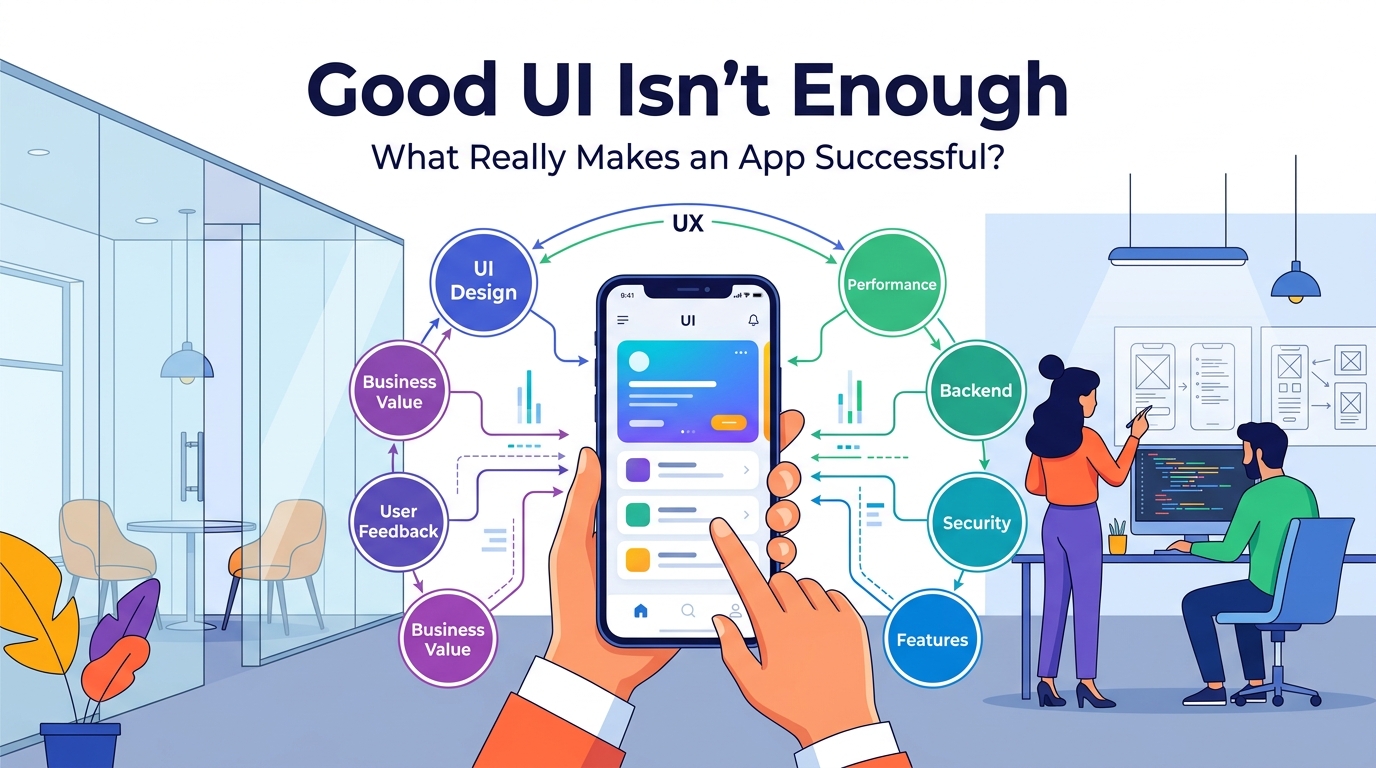
What Makes a Successful App?
A successful app is usually the result of multiple things working together.
Good UI
Makes the product visually appealing and understandable.
Good UX
Makes it easy to accomplish tasks.
Strong Performance
Makes the app feel fast and responsive.
Reliable Backend
Keeps data and business operations working correctly.
Security
Protects users and business information.
Useful Features
Solves genuine problems.
Analytics
Shows what users are actually doing.
Customer Feedback
Reveals what needs improvement.
Business Strategy
Creates a sustainable reason for the product to exist.
None of these elements should be viewed in isolation.
A Beautiful App vs a Successful App
Consider two applications.
App A
Beautiful interface.
Excellent animations.
Modern colors.
But:
- Slow performance
- Confusing navigation
- Frequent crashes
- Weak backend
- No clear purpose
App B
Clean interface.
Simple animations.
Clear navigation.
Fast performance.
Reliable backend.
Strong security.
Solves a specific customer problem.
Which one is more likely to succeed?
App B.
Because users ultimately care about the complete experience.
The Right Development Process
A strong application should be approached as a product, not just a design project.
A practical process can look like:
1. Problem Research
Understand the customer problem.
2. Product Strategy
Define the business goal.
3. User Research
Understand the target audience.
4. UX Planning
Create user flows and information architecture.
5. UI Design
Create the visual experience.
6. Development
Build the mobile application and backend.
7. Testing
Test functionality, performance, security, and usability.
8. Launch
Release the product to users.
9. Analytics
Measure real behavior.
10. Improvement
Use feedback and data to make the next version better.
Final Thoughts
Good UI is important.
It creates the first impression.
It helps users understand the product.
It makes an application feel professional.
But UI is only one part of the equation.
A successful app needs to solve a real problem, provide a smooth experience, perform reliably, protect user data, have useful features, and continue improving after launch.
Don't build an app that only looks good.
Build an app that people understand.
Build an app that people trust.
Build an app that solves a problem.
And most importantly:
Build an app that people want to keep using.
Frequently Asked Questions
Is UI design important for an app?
Yes. Good UI helps create a clear and professional interface, but it needs to work together with UX, performance, reliability, security, and useful functionality.
Can a simple-looking app be successful?
Absolutely. A simple interface can be highly successful if it solves a real problem and makes important tasks easy.
What is more important, UI or UX?
They serve different purposes. UI focuses on the visual interface, while UX focuses on the overall experience. A successful product needs both.
Why does app performance matter?
Slow loading, crashes, and unresponsive interactions can frustrate users and cause them to stop using an application.
Should I add many features to make my app competitive?
Not necessarily. It's usually better to focus on features that solve real customer problems rather than adding unnecessary complexity.
What should happen after an app launches?
The product should be monitored using analytics, user feedback, reviews, and business metrics. Improvements can then be prioritized for future releases.
Blog CTA
A successful app isn't created by UI design alone.
It requires the right combination of product strategy, UX, UI, development, backend architecture, security, testing, analytics, and continuous improvement.
GoTech Studio helps businesses turn ideas into complete digital products, from UI/UX design and mobile development to backend APIs, testing, deployment, and ongoing support.
Have an app idea? Let's build something that looks great, works reliably, and creates real value.