
Why Businesses Need an Admin Dashboard for Their Mobile App
When a business launches a mobile application, most of the attention goes toward what customers will see.
The team thinks about:
- App design
- Features
- User experience
- Registration
- Products
- Payments
- Notifications
But there is another important part of the system that customers usually never see.
The Admin Dashboard.
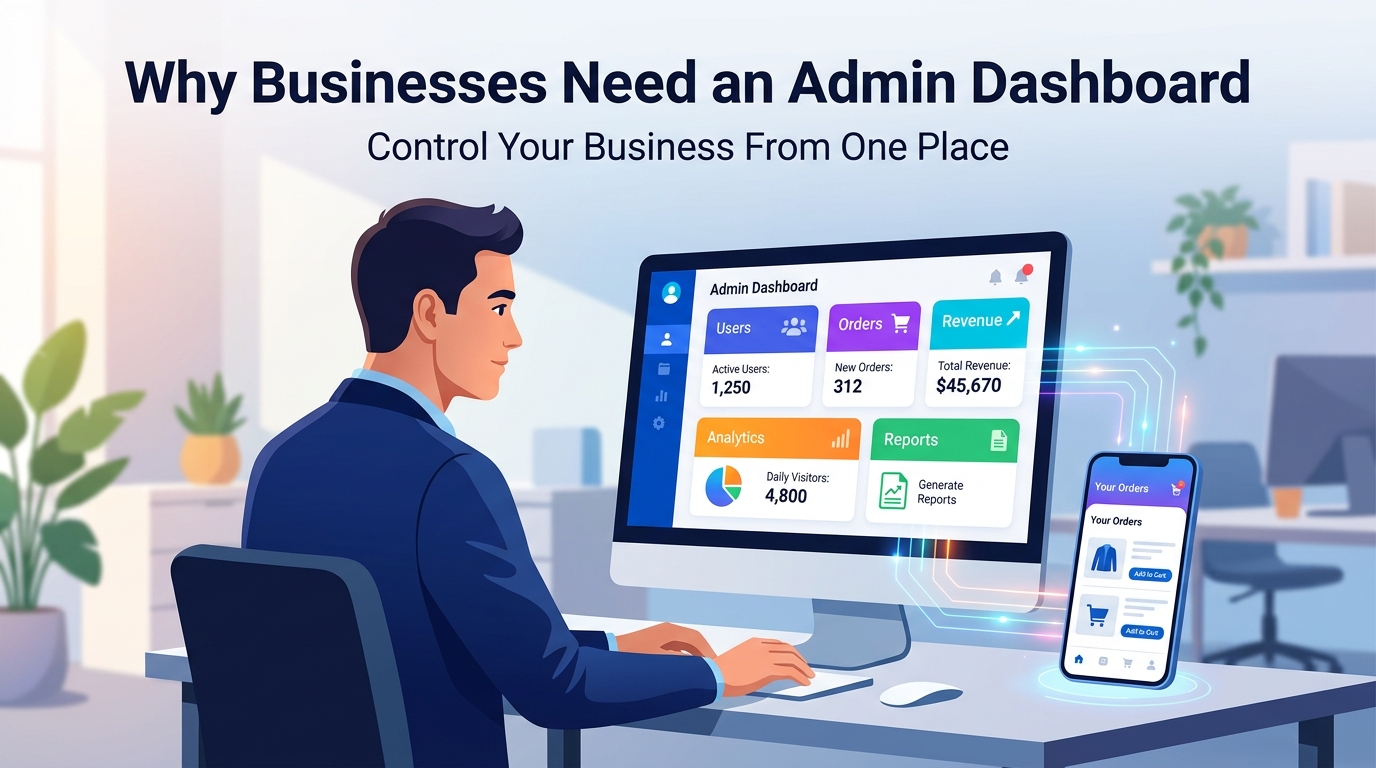
An admin dashboard gives the business a central place to manage and monitor what is happening inside the application.
Without one, businesses may have to rely on developers or technical teams for routine operations.
With a well-designed dashboard, authorized team members can manage many tasks themselves.
What Is an Admin Dashboard?
An admin dashboard is a web-based control panel used by authorized administrators or staff members to manage an application or digital platform.
For example, an e-commerce business might use its dashboard to manage:
- Products
- Customers
- Orders
- Payments
- Inventory
- Promotions
- Reports
A social platform might use an admin dashboard to manage:
- Users
- Posts
- Comments
- Reports
- Verification requests
- Notifications
- Moderation
The dashboard becomes the operational center of the product.
Mobile App vs Admin Dashboard
A simple way to understand the difference is:
Mobile App
Designed primarily for customers or end users.
Admin Dashboard
Designed for the business and its internal team.
For example:
Customer:
Places an order
↓
Backend:
Processes the order
↓
Admin Dashboard:
Business sees and manages the order
↓
Business:
Updates order status
↓
Backend:
Processes the change
↓
Customer:
Receives the updated status
The mobile app and admin dashboard work together through the backend.
1. Manage Users
Most applications have users.
As the user base grows, managing those users manually becomes difficult.
An admin dashboard can provide tools to:
- View users
- Search users
- Edit user information
- Activate or deactivate accounts
- Review account activity
- Manage roles
- Handle account-related issues
Instead of accessing the database directly, authorized staff can use a user-friendly interface.
2. Manage Products and Services
For an e-commerce or service platform, administrators need to update content regularly.
An admin dashboard can allow staff to:
- Add products
- Edit products
- Remove products
- Update prices
- Upload images
- Manage categories
- Change availability
For example, if a product price changes, an authorized employee can update it from the dashboard.
The mobile application can then retrieve the updated information through the backend.
3. Manage Orders
For businesses that process transactions, order management is essential.
An admin dashboard can show:
- New orders
- Processing orders
- Completed orders
- Cancelled orders
- Customer details
- Payment status
- Delivery information
Staff can update order status without needing developer assistance.
This makes daily operations much easier.
4. View Business Analytics
An admin dashboard can turn application data into useful business information.
For example, a dashboard could show:
Total Users
New Users
Orders
Revenue
Active Users
Popular Products
Conversions
Analytics help business owners understand what's happening inside their platform.
Instead of guessing, they can make decisions based on actual data.
5. Manage Content
Many applications have content that changes regularly.
For example:
- Banners
- Announcements
- Blog posts
- Categories
- Promotional content
- FAQs
- App messages
An admin dashboard can allow authorized staff to update this content without requiring a new mobile app release for every small change.
This can make content management significantly more efficient.
6. Send Notifications
Push notifications can be an important communication channel.
Businesses may need to send notifications about:
- New offers
- Order updates
- Important announcements
- New products
- Account information
- Promotions
An admin dashboard can provide a controlled interface for managing notifications.
For example:
Create Notification
↓
Select Audience
↓
Write Message
↓
Review
↓
Send
The exact workflow depends on the application.
7. Manage User Roles
Not every employee should have access to everything.
For example, an application might have:
Super Admin
Full system access.
Manager
Access to business operations.
Content Manager
Access to content.
Support Staff
Access to customer-related information.
Finance Staff
Access to relevant financial information.
Role-based permissions can help ensure that employees only access the areas they need.
8. Improve Security
An admin dashboard should not simply expose every part of the application.
Security should be considered from the beginning.
Important areas include:
- Authentication
- Authorization
- Role-based access
- Secure sessions
- Audit logs
- Password security
- Access restrictions
For sensitive operations, additional protections may also be appropriate.
The principle is simple:
Not every employee needs access to every feature.
9. Manage Reports
Applications can receive different types of reports.
For example:
A social platform may receive reports about inappropriate content.
A marketplace may receive reports about sellers.
A service platform may receive complaints.
An admin dashboard can provide a central place to review and manage these reports.
Staff can investigate the issue and take appropriate action.
10. Handle Customer Support
Customer support teams often need access to application information.
For example, a customer says:
"My order hasn't arrived."
The support employee can use the dashboard to find:
- Customer account
- Order number
- Order status
- Payment status
- Previous activity
This allows the support team to respond more efficiently.
11. Manage Verification
Some platforms need account verification.
For example:
- Businesses
- Employers
- Consultants
- Sellers
- Professionals
An admin dashboard can provide a workflow such as:
Verification Request
↓
Review Documents
↓
Approve or Reject
↓
Update Account Status
This is especially useful for marketplaces and professional platforms.
12. Manage Transactions
Applications involving payments need transaction visibility.
An admin dashboard can display information such as:
- Transactions
- Payment status
- Refunds
- Orders
- Revenue
- Failed payments
The exact information should depend on the business model and payment architecture.
The goal is to give authorized staff enough information to operate the business effectively.
13. Monitor Application Activity
A dashboard can provide visibility into what's happening inside the platform.
For example:
- New registrations
- Login activity
- Orders
- Content creation
- Reports
- Payments
- Feature usage
This can help teams identify unusual activity and understand how users interact with the product.
14. Reduce Developer Dependency
Imagine a business owner needs to change a product price.
Without an admin dashboard, they may need to contact a developer.
The developer changes the database.
The change is tested.
The process takes time.
With an admin dashboard:
Login
↓
Find Product
↓
Update Price
↓
Save
The business team can manage routine operations themselves.
Developers can then focus on development rather than performing repetitive administrative tasks.
15. Save Time
Time is one of the biggest benefits of a well-designed dashboard.
Instead of managing information across multiple systems, staff can use one central platform.
For example:
Users
Orders
Payments
Content
Reports
Analytics
can all be accessible from the same administrative system.
16. Centralized Business Management
Without centralized management, information can become fragmented.
A business might use:
- Spreadsheets
- Messaging apps
- Separate systems
- Manual records
A properly designed admin dashboard can bring many application operations into one place.
This doesn't mean every business process needs to be moved into one dashboard.
The dashboard should focus on the operations that genuinely benefit from centralized management.
17. Manage Application Settings
Some applications require configurable settings.
For example:
- Service fees
- Commission percentages
- Notification settings
- User limits
- Business rules
- Promotional settings
An admin dashboard can provide controlled access to these settings.
This can make the platform more flexible as the business evolves.
18. Manage Promotions
E-commerce and marketplace applications often need promotions.
An admin dashboard can help staff manage:
- Discount codes
- Promotional banners
- Special offers
- Campaign dates
- Product promotions
Instead of requiring developers to hard-code every campaign, authorized staff can manage appropriate promotional content themselves.
19. Monitor Key Business Metrics
A dashboard should not become a collection of random numbers.
The best dashboards focus on metrics that actually matter to the business.
For example:
An e-commerce business may care about:
Orders
Revenue
Average Order Value
Conversion Rate
A social platform may care about:
Daily Active Users
Posts
Engagement
Retention
A service marketplace may care about:
Bookings
Service Providers
Completed Jobs
Commission
The dashboard should reflect the business model.
20. Admin Dashboard and Backend Work Together
An admin dashboard doesn't replace the backend.
They work together.
A typical architecture might look like:
Mobile App
↓
Backend API
↓
Database
↑
Admin Dashboard
The mobile application communicates with the backend.
The admin dashboard also communicates with the backend.
The backend manages authentication, business logic, permissions, and database operations.
This creates a central architecture.
21. A Dashboard Should Be Easy to Use
An admin dashboard is still software.
If it is difficult to use, employees may avoid it.
A good dashboard should have:
- Clear navigation
- Simple layouts
- Search
- Filters
- Useful tables
- Meaningful analytics
- Clear actions
- Helpful error messages
- Responsive design
The goal isn't to make the dashboard visually complicated.
The goal is to make business operations easier.
22. Don't Put Everything on the Main Screen
Another common mistake is trying to show every possible piece of information on the dashboard homepage.
This creates information overload.
Instead, the main dashboard should focus on important information.
For example:
Today's Orders
Revenue
New Users
Pending Actions
Recent Activity
Detailed information can exist on dedicated pages.
23. Search and Filters Are Important
As your data grows, simple tables aren't enough.
Imagine having 500,000 users.
An administrator needs to find one specific account.
A good dashboard can provide:
Search
Filters
Sorting
Pagination
This makes large datasets much easier to manage.
24. Audit Logs
For systems with important administrative actions, audit logs can be valuable.
An audit log can record:
- Who performed an action
- What action was performed
- When it happened
- Which record was affected
For example:
Admin User
Updated Product Price
2 September 2026
This can help with accountability and troubleshooting.
25. Responsive Admin Dashboards
Although many administrators use desktops, responsive design can still be valuable.
Managers may need to check information from:
- Laptop
- Tablet
- Large monitor
A responsive dashboard can adapt to different screen sizes.
However, the priority should be usability rather than simply making every page fit on a phone.
Example: E-Commerce Platform
Imagine you're building an e-commerce application.
The customer uses the mobile app to:
- Browse products
- Add products to cart
- Place orders
- Make payments
- Track orders
The business uses the admin dashboard to:
- Add products
- Update prices
- Manage inventory
- View orders
- Process refunds
- Manage customers
- View analytics
The two systems are connected through the backend.
This creates a complete e-commerce ecosystem.
Example: Job Platform
Consider a job marketplace.
Job seekers use the mobile application to:
- Create profiles
- Search jobs
- Apply
- Chat
- Track applications
Employers use the platform to:
- Post jobs
- Review applications
- Contact candidates
The admin team can use the dashboard to:
- Manage users
- Review job posts
- Handle reports
- Verify companies
- Manage accounts
- Monitor activity
The dashboard becomes an important part of operating the platform.
Example: Service Marketplace
Imagine an application connecting customers with service providers.
Customers can:
- Browse services
- Request services
- Book appointments
- Chat with providers
Providers can:
- Create services
- Manage bookings
- Communicate with customers
Administrators can:
- Manage users
- Verify providers
- Review disputes
- Manage categories
- Monitor transactions
- View analytics
Without centralized administration, operating the marketplace becomes much more difficult as the platform grows.
When Should You Build an Admin Dashboard?
Not every simple application needs a large dashboard.
A basic application may only need a few administrative functions.
But if your application includes:
- Multiple user types
- Payments
- Orders
- User-generated content
- Business accounts
- Moderation
- Analytics
- Verification
- Complex business rules
then an admin dashboard can become extremely valuable.
Don't Overbuild the Dashboard
Just like the mobile app, the admin dashboard should start with the most important features.
For an MVP, you might only need:
User Management
Core Content Management
Orders or Transactions
Basic Analytics
Reports
Then additional functionality can be introduced as the business grows.
What Makes a Good Admin Dashboard?
A good admin dashboard should be:
Simple
Staff should understand it quickly.
Secure
Sensitive operations should be protected.
Fast
Large datasets shouldn't make every page unusable.
Flexible
The dashboard should support changing business requirements.
Scalable
It should remain useful as data and users increase.
Action-Oriented
It should help employees get work done, not just display statistics.
Final Thoughts
A mobile application is only one part of a digital product.
Behind the application, your business needs systems to manage users, content, transactions, operations, and data.
That's where an admin dashboard becomes valuable.
A well-designed dashboard can give your team:
Control
Visibility
Efficiency
Security
Better decision-making
Instead of depending on developers for every operational change, authorized employees can manage many tasks themselves.
The customer sees the mobile app.
The business runs the operation through the backend and admin dashboard.
A great mobile app serves your customers.
A great admin dashboard helps your team run the business.
Frequently Asked Questions
What is an admin dashboard?
An admin dashboard is a secure web-based system that allows authorized staff to manage and monitor an application's users, content, transactions, settings, and other operations.
Does every mobile app need an admin dashboard?
No. Simple applications may not need one. However, apps with users, transactions, content, business operations, or multiple roles can benefit significantly from an admin dashboard.
Can an admin dashboard manage a mobile app?
Yes. An admin dashboard can communicate with the same backend APIs and database used by the mobile application.
Can multiple employees use one admin dashboard?
Yes. A properly designed system can provide different roles and permissions for different employees.
Should an admin dashboard be built separately from the mobile app?
Often, yes. The mobile application and dashboard typically have different interfaces and user requirements, while both can share the same backend infrastructure.
What technology can be used to build an admin dashboard?
The technology depends on the project. A dashboard can be built using modern web technologies and connected to backend APIs and databases.
Can an admin dashboard reduce business costs?
It can reduce operational effort by allowing authorized staff to manage routine tasks without requiring developers for every small change.
Blog CTA
Need an Admin Dashboard for Your Business?
Your mobile app is only one part of the system.
GoTech Studio can build the complete solution:
Mobile App + Backend APIs + Database + Admin Dashboard
We can help you design and develop a system that gives your business the tools it needs to manage users, content, transactions, analytics, and daily operations.
Have an app or platform idea? Let's build the system behind it.