

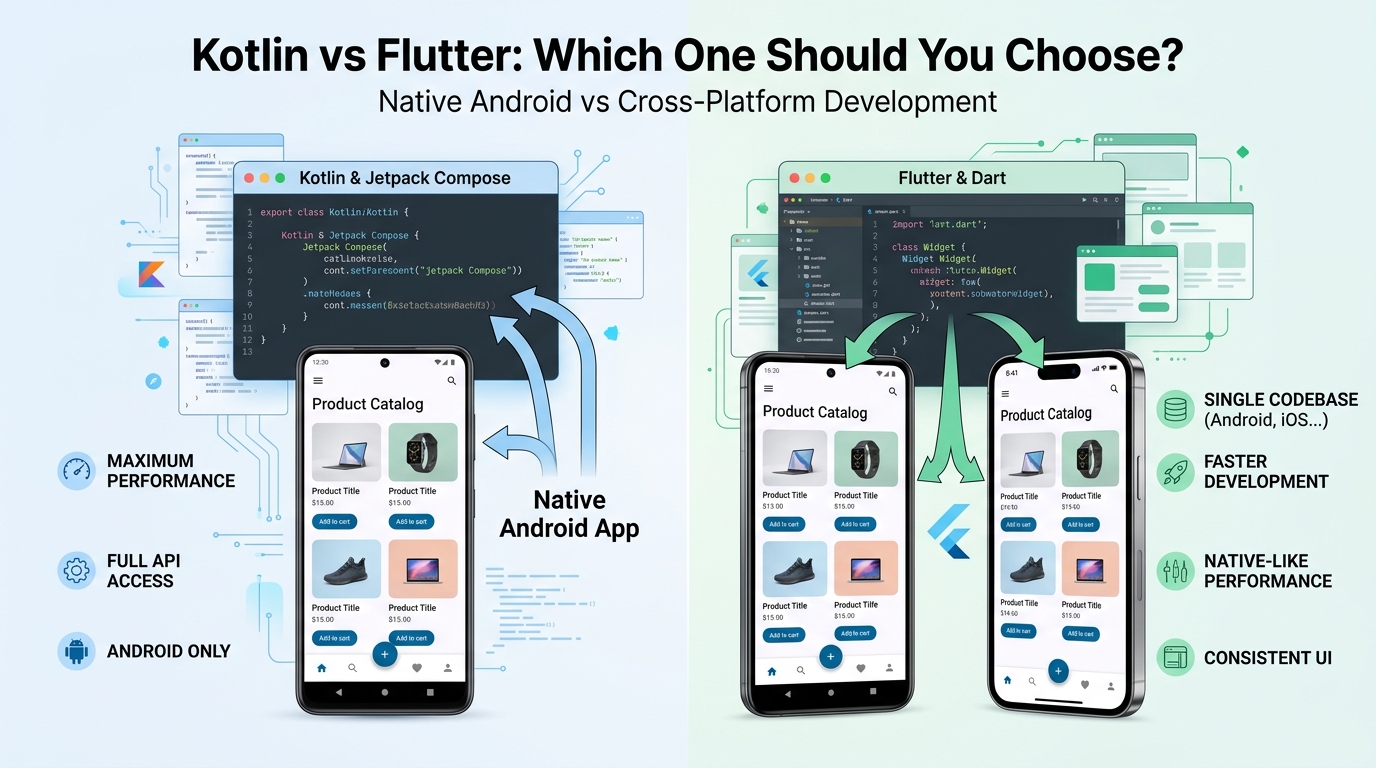
Kotlin vs Flutter: Which One Should You Choose for Mobile App Development?
Choosing the right technology is one of the first important decisions when starting a mobile application.
There are many technologies available for mobile development, but Kotlin and Flutter have become popular choices for different types of projects.
Kotlin is widely used for native Android development, while Flutter provides a cross-platform development approach that can be used to build applications for multiple platforms from a shared codebase.
But which one should you choose?
The answer depends on your application.
Your target audience, platform requirements, application features, performance expectations, development budget, and long-term product strategy should all be considered before making the decision.
What Is Kotlin?
Kotlin is a modern programming language widely used for Android application development.
It allows developers to build applications specifically for the Android platform and work closely with Android's development ecosystem.
Modern Android development can also use Jetpack Compose, Google's declarative UI toolkit for building native Android interfaces.
A Kotlin-based Android application can take advantage of Android platform capabilities and APIs.
Kotlin Is a Strong Choice for:
- Native Android applications
- Android-specific functionality
- Applications requiring deep platform integration
- Modern Android UI development
- Long-term Android-focused products
If your primary target is Android, Kotlin can provide a strong foundation for building a native application.
What Is Flutter?
Flutter is a UI toolkit that allows developers to create applications for multiple platforms using a shared codebase.
Instead of maintaining completely separate application codebases for different platforms, developers can build much of the application using Flutter.
This can make Flutter attractive for businesses that want to launch on multiple platforms.
Flutter Is a Strong Choice for:
- Cross-platform applications
- Android and iOS applications
- Products requiring a shared codebase
- Faster development across multiple platforms
- Startups building an initial product
Flutter can be particularly useful when a business wants to reach users across multiple platforms without creating completely separate applications.
Kotlin vs Flutter: The Main Difference
The biggest difference is the development approach.
Kotlin
Kotlin can be used to create native Android applications.
The application is designed specifically for the Android ecosystem.
Flutter
Flutter provides a cross-platform development approach.
A significant portion of the application can be developed from a shared codebase for supported platforms.
In simple terms:
Kotlin → Native Android
Flutter → Cross-Platform
However, the decision should not be based on this difference alone.
1. Platform Support
One of the first questions to ask is:
Which platforms do you need to support?
If your application is designed specifically for Android, Kotlin can be a natural choice.
For example, a business may only need an Android application for its employees or customers.
In this situation, native Android development can make sense.
If the application needs to target Android and iOS, Flutter becomes an attractive option because developers can share much of the application code between platforms.
Choose Based on Your Target
Android only: Kotlin may be a strong option.
Android + iOS: Flutter may be a practical option.
But other project requirements should still be evaluated.
2. Performance
Performance is an important consideration when developing a mobile application.
Native Android development with Kotlin provides direct access to the Android platform and its APIs.
This can be particularly useful for applications that require extensive Android-specific functionality.
Flutter also provides strong performance for many types of applications and can be suitable for business applications, social applications, e-commerce products, dashboards, booking systems, and many other use cases.
The important point is that performance depends on much more than the programming language.
Application architecture, network requests, database operations, image processing, animations, backend performance, and inefficient code can all affect the user experience.
A well-designed application is important regardless of the technology selected.
3. Development Speed
Development speed can also influence the technology decision.
Flutter's shared-code approach can reduce duplicated development work when building applications for multiple platforms.
For example, instead of creating completely separate implementations for Android and iOS, developers can share much of the application code.
This can make development more efficient for certain projects.
Kotlin native development may require platform-specific development, but it provides the advantage of working directly within the Android ecosystem.
Therefore, development speed depends on the project requirements.
4. UI Development
Modern applications need more than functionality.
They need interfaces that are easy to understand, responsive, and enjoyable to use.
Kotlin with Jetpack Compose provides a modern declarative approach to building native Android user interfaces.
Flutter also uses a widget-based approach for building application interfaces.
Both approaches can be used to create modern interfaces with:
- Custom layouts
- Animations
- Responsive designs
- Dark mode
- Custom components
- Smooth navigation
The important factor is not only the technology.
The quality of the UI/UX design and implementation also matters significantly.
5. Android-Specific Features
If your application depends heavily on Android-specific functionality, native Kotlin development may provide advantages.
Native development allows developers to work directly with Android APIs and platform capabilities.
For example, applications requiring extensive Android integration may benefit from native development.
If your application is primarily an Android product, there may be little reason to introduce a cross-platform framework unless there is a specific business requirement for it.
6. Cross-Platform Development
One of Flutter's major advantages is its cross-platform approach.
Suppose a startup wants to launch an application on:
Android + iOS
Building completely separate applications can increase development complexity.
Flutter allows developers to share much of the application code.
This can help reduce duplicated development work and simplify certain aspects of maintaining the product.
For startups and businesses trying to launch across multiple platforms, this can be an important consideration.
7. Development Cost
Development cost depends on many factors.
These can include:
- Application complexity
- Number of platforms
- Number of features
- UI/UX requirements
- Backend requirements
- Third-party integrations
- Testing requirements
- Maintenance
- Development team
It would be incorrect to say that Kotlin is always cheaper or Flutter is always cheaper.
For a simple Android application, native Kotlin development may be completely appropriate.
For an Android + iOS product, Flutter may reduce duplicated development effort.
The best approach is to evaluate the complete project rather than choosing technology based only on development cost.
8. Maintenance
Every application needs maintenance.
After launch, applications may require:
- Bug fixes
- Performance improvements
- Security updates
- Dependency updates
- New features
- API changes
- Platform updates
- Store compliance updates
The technology you choose becomes part of the long-term maintenance strategy.
With Flutter, developers can maintain a shared codebase for much of the application.
With native development, platform-specific applications can provide greater control over individual platforms.
Both approaches can work well when the application architecture is properly planned.
9. Backend Integration
Neither Kotlin nor Flutter replaces the need for a backend when an application requires server-side functionality.
Many modern applications need:
Mobile App → REST API → Backend → Database
The mobile application communicates with the backend to handle things such as:
- User authentication
- Profiles
- Data management
- Payments
- Notifications
- File uploads
- Business logic
- Analytics
Both Kotlin and Flutter applications can communicate with REST APIs and backend services.
The backend technology can be built separately according to the project's requirements.
10. Firebase Integration
Many mobile applications use Firebase services for features such as authentication, notifications, analytics, and other application services.
Both Flutter and native Android applications can integrate with Firebase services.
The exact implementation depends on the application's requirements and architecture.
Therefore, Firebase availability alone usually should not determine whether you choose Kotlin or Flutter.
Kotlin vs Flutter Comparison
| Feature | Kotlin | Flutter |
|---|---|---|
| Primary approach | Native Android | Cross-platform |
| Android | Excellent | Excellent |
| iOS | Requires separate native development | Supported |
| Shared codebase | Android-focused | Yes, across supported platforms |
| Android APIs | Direct access | Available through Flutter/plugins/platform integration |
| UI | Jetpack Compose / Android UI | Flutter widgets |
| Cross-platform apps | Not the primary approach | Strong use case |
| Android-specific apps | Strong choice | Also possible |
| Development approach | Platform-specific | Shared application code |
When Should You Choose Kotlin?
Kotlin may be the better choice when:
You Are Building Android Only
If your product is specifically designed for Android users, native development can be a strong option.
You Need Deep Android Integration
Applications that depend heavily on Android-specific capabilities may benefit from native development.
Android Is Your Primary Platform
If Android is the main platform for your customers, Kotlin can provide a focused development environment.
You Want Native Android Development
If your product strategy is centered around the Android ecosystem, Kotlin and Jetpack Compose provide a modern approach to native Android development.
When Should You Choose Flutter?
Flutter may be a good option when:
You Need Android and iOS
If your business wants to launch on both major mobile platforms, Flutter's cross-platform approach can be useful.
You Want a Shared Codebase
Sharing application code can simplify development and maintenance for cross-platform products.
You're Building an MVP
Startups may benefit from a cross-platform approach when they want to validate an idea across multiple platforms.
You Need Consistent UI
Flutter can help businesses maintain a consistent visual experience across supported platforms.
What About Startups?
Startups often need to move quickly while controlling development costs.
Suppose a startup has an idea for a marketplace application and wants to launch on Android and iOS.
Flutter could be considered because much of the application can be developed from a shared codebase.
On the other hand, if the startup is specifically building an Android-first product with advanced Android functionality, Kotlin may be a better fit.
The right choice depends on the actual product requirements.
What About Enterprise Applications?
Enterprise applications can have very different requirements.
An internal Android application may need deep integration with Android devices, hardware, security systems, or enterprise services.
In such cases, native Kotlin development may be appropriate.
Another enterprise product may need applications across multiple platforms.
For that type of requirement, Flutter could be considered.
Again, there is no universal winner.
Don't Choose Technology Just Because It Is Popular
Technology trends change.
A framework may become popular today and another technology may become popular tomorrow.
Businesses shouldn't choose a technology simply because developers are talking about it online.
Instead, ask:
What does our product need?
Then evaluate the technology based on:
- Target platforms
- Required features
- Performance
- Development timeline
- Budget
- Team expertise
- Maintenance
- Scalability
- Long-term product strategy
The technology should support the product rather than the product being forced to fit the technology.
So, Kotlin or Flutter?
The answer depends on your project.
Choose Kotlin when:
You primarily need Android.
You need strong Android platform integration.
You want native Android development.
Choose Flutter when:
You need Android and iOS.
You want a shared codebase.
You want a cross-platform development approach.
Neither technology is automatically better than the other.
They solve different development requirements.
How GoTech Studio Approaches Technology Selection
At GoTech Studio, we work with both Kotlin & Jetpack Compose and Flutter for mobile application development.
We don't believe every project should use the same technology.
Instead, the technology should be selected based on the product.
Our mobile development process can include:
Idea & Requirements
↓
Technology Selection
↓
UI/UX Design
↓
Mobile Development
↓
Backend & API Integration
↓
Testing
↓
Store Release
↓
Maintenance & Support
This approach helps ensure that technology decisions are connected to the actual business and product requirements.
Final Thoughts
The Kotlin vs Flutter discussion isn't really about finding a single winner.
It's about finding the right tool for the right product.
Kotlin is a strong option for native Android development, especially when deep Android integration and platform-specific capabilities are important.
Flutter is a strong option for cross-platform development when businesses want to target multiple platforms using a shared codebase.
Before starting development, consider your target users, required platforms, features, budget, performance expectations, and long-term plans.
Choose the technology based on your product — not just the trend.
Frequently Asked Questions
Is Kotlin better than Flutter?
Not necessarily. Kotlin and Flutter serve different development approaches. Kotlin is commonly used for native Android development, while Flutter is designed for cross-platform application development.
Is Flutter better than Kotlin?
Not universally. Flutter can be a strong choice for cross-platform applications, while Kotlin can be a strong choice for native Android applications.
Can Flutter build Android and iOS apps?
Yes. Flutter supports cross-platform application development for Android and iOS.
Can Kotlin build iOS apps?
Kotlin is widely used for Android development. Kotlin Multiplatform also exists for sharing code across platforms, but that is different from using Kotlin solely as a traditional native Android approach.
Should a startup choose Flutter?
It can be a good option when the startup needs to target multiple platforms and wants to share application code. However, the final decision should be based on the startup's specific product requirements.
Is Kotlin good for Android app development?
Yes. Kotlin is a strong choice for modern Android development and works well with Jetpack Compose.
Can both Kotlin and Flutter connect to APIs?
Yes. Both can communicate with backend services and REST APIs.
Blog CTA
Need Help Choosing the Right Technology?
Choosing between Kotlin and Flutter is only one part of building a successful mobile product.
GoTech Studio provides:
Mobile App Development
Kotlin, Jetpack Compose and Flutter
UI/UX Design
Modern, responsive and user-focused interfaces
Backend Integration
REST APIs, Firebase and secure backend systems
App Maintenance & Support
Bug fixing, optimization and app store updates
Tech Consulting
Technical guidance for your digital product.
Have an app idea but don't know which technology to choose?
Talk to GoTech Studio and let's choose the right technology for your product.